RocKnow: Rock ID & Collection
- 4.6
- Rating
- 50.00K
- Installs
- Free
- Price

 Analysis by App-foxy
I downloaded RocKnow: Rock ID & Collection expecting a quick novelty: point a phone at an interesting stone, get a possible identification, and move on. That first impression is partly right, but the app becomes more useful when I treat it as a companion for an ongoing hobby rather than as a magic answer machine. Its focus is simple enough for a casual walk, yet the questions it raises about rarity, value, and authenticity make it more engaging than a basic visual search tool.
RocKnow is a free lifestyle app from River Stone Tech, available for Android devices running version 8.0 or later. It is rated for Everyone, which fits the straightforward, family-friendly nature of the experience. The app has reached over 50 thousand installs and holds a 4.6 average from around 1.1 thousand ratings, so it has clearly found an audience beyond people who only open a rock-identification tool once.
My honest view is that the app earns a place on a phone when you regularly notice stones, crystals, fossils, or unusual pieces during walks, travel, gardening, or collecting. If you want laboratory-level mineral analysis, it is not the right instrument. If you want a fast way to turn curiosity into a more informed look at what is in front of you, it has a convincing purpose.
You May Also Like

 AccuWeather: Weather Radar
AccuWeather Review: A Quick, Clear Forecast for Everyday Decisions
For everyday plans, the best forecast is the one you can understand quickly. AccuWeather makes rain timing, radar, and local conditions easy to act on, with a few trade-offs.

 Hill Climb Racing
Why Hill Climb Racing Still Turns Crashes Into One More Run
A tiny car, a bumpy hill and one more upgrade: Hill Climb Racing keeps resurfacing because its simple chaos makes every near-miss feel personal.

 AliExpress - Shopping App
AliExpress Makes Global Shopping Feel Personal, but Shoppers Bear the Risk
AliExpress turns a global marketplace into a pocket-sized discovery engine. Its reach is useful, its shopping loop compelling, and its trade-offs easy to miss.

 Lords Mobile: Kingdom Wars
Lords Mobile Is a Kingdom-Building Routine, Not a Quick Match
A case-by-case verdict on the building, battles, device demands, and social commitments that make Lords Mobile rewarding for some players and exhausting for others.

 PDF Scanner app - TapScanner
TapScanner Makes Paperwork Easier to Capture, Check, and Share
TapScanner makes scanning with a phone feel less like a rescue operation and more like a dependable step in getting work done. Its capture tools are useful, though not flawless.

 Block Blast!
 Shows How Much a Puzzle Game Can Leave Out
A quiet grid game shows why puzzle players increasingly value instant clarity, repeatable skill and low-pressure play—and where the genre still needs to catch up.
More From Our News Desk
View All News


What RocKnow feels like during the first week
During the first week, I’d focus on whether scanning fits naturally into the way you already notice stones, rather than trying to identify everything in sight. I’d also test a simple photo routine in different light and from more than one angle; that quickly shows how much the result depends on the image you give it. Once that habit feels comfortable, the next question is whether the app keeps earning a place in your routine.
A low-friction way to turn a walk into a small investigation
The strongest part of the first-week experience is how little preparation the idea requires. You do not need to know mineral terminology before opening the app. You can pick up a stone, position it for a quick scan, and use the result as a starting point for observation. That makes it especially appealing to beginners who might otherwise feel that rock collecting has too much specialist vocabulary.
I found the scan most useful when I resisted the temptation to photograph the stone carelessly. A clean background, even lighting, and a view that shows the whole object make the result easier to interpret. A second image from another angle can also be more informative than repeatedly scanning the same blurry close-up. This is one of the first practical lessons the app encourages: identification is partly about presenting good evidence.
The appeal is not limited to finding a name. RocKnow also frames the result around rarity, possible value, and authenticity information. Those details give the scan a sense of direction. Instead of stopping at “this may be quartz,” I am encouraged to ask whether the piece is common, whether its appearance matches the suggested identity, and whether any value claim should be treated cautiously.
That last point matters. A phone camera can help organize a first impression, but it cannot replace a specialist examination for an expensive specimen or a serious authenticity dispute. I use the app as a filter: it tells me which pieces deserve closer attention and which are probably ordinary finds. That is a sensible role for a mobile tool, and it prevents the experience from becoming misleadingly confident.
The best early use case is a real-world collection session
Imagine finding several unusual stones along a beach or hiking path. Without an app, you might take random photographs and forget which image belongs to which piece. With RocKnow, I can scan each item while the location and visual context are still fresh, then use the results to decide which stones are worth cleaning, labeling, or researching later.
I would not treat the app as permission to remove stones from protected land or private property. The useful habit is to identify responsibly, record what you saw, and follow local rules. In that setting, the app adds curiosity without encouraging careless collecting.
A particularly useful workflow is to photograph the stone before cleaning it, make a note of where it was found, and only then inspect it again after removing loose dirt. Surface coatings can affect what the camera sees, while aggressive cleaning can damage a specimen or erase useful clues. RocKnow does not eliminate that judgment; it makes the comparison easier.
Why the novelty lasts longer than a single scan
Many identification apps are entertaining for a few minutes because recognition itself feels like a trick. RocKnow has a better chance of surviving that novelty because the subject naturally produces follow-up questions. Is the stone common in this region? Does the texture fit the suggested identity? Is the apparent color natural or caused by lighting? Could the piece be treated, dyed, polished, or misrepresented?
The app is most satisfying when I use the scan as the beginning of a small research loop. I look closely, capture a clear image, compare the result with the physical specimen, and keep only the conclusions that remain plausible after that check. This approach also protects against the common mistake of assuming that the first label shown on a screen is a final verdict.
How the app holds up after the first month
After a month, I’d judge RocKnow less by how many scans I’ve made and more by whether it has helped me keep better track of specimens or choose which ones merit closer research. A small, labeled set of useful records can be more rewarding than a large pile of uncertain guesses. That longer view also makes it easier to weigh the app’s continuing usefulness against the effort it takes to maintain a collection.
Recurring value depends on how often you encounter new material
RocKnow does not create a hobby by itself. Its long-term value depends on your surroundings and your habits. Someone who walks outdoors, visits markets, explores geological areas, or already owns an unorganized collection will have more reasons to return than someone who rarely encounters unfamiliar stones.
For me, the recurring value comes from using it at different stages of a collection. A first scan helps with rough sorting. A later scan after better lighting or cleaning can challenge the initial guess. Eventually, the app becomes a practical way to decide which pieces should receive a handwritten label, a storage box, or a more careful expert opinion.
That makes it more useful than relying on ordinary web searches alone. Search engines are excellent when you already know the right terms, but beginners often do not know whether to search by color, crystal shape, texture, or geological setting. RocKnow gives a tentative direction first. The trade-off is that a web search can expose you to more detailed references once you have a likely name.
Compared with a printed field guide, the app is quicker and easier to carry, especially when the stone is in front of you and your hands are occupied with a walk or trip. A book remains better for learning visual distinctions in depth and for browsing without depending on a camera result. I see the two approaches as complementary rather than interchangeable.
Collection value comes from consistent records, not repeated scans
The app becomes more valuable when I use a repeatable routine. I photograph the entire specimen, then its most distinctive surface, and keep the lighting as neutral as possible. I record the rough location and date outside the scan itself if I want a dependable collection history. The important insight is that identification and cataloging are separate jobs: a scan may suggest what a stone is, but a useful collection record needs context.
This also helps when several pieces look similar. Instead of asking the app to solve every item from memory, I can compare specimens side by side and note which one has the strongest match. That reduces the temptation to assign the most exciting result to every stone.
For a family, the app can support a shared weekend activity. One person finds a specimen, another takes the photograph, and someone else checks whether the suggested rarity or value seems realistic. That division makes the experience less about a single screen and more about discussing what can actually be observed.
Where the free model becomes part of the decision
The app is free to download, but in-app purchases range from $3.99 to $79.99 per item. That wide range makes it important to decide how seriously you intend to use the service before spending money. A casual user may be satisfied with occasional exploration, while a committed collector should consider whether paid features would genuinely improve a repeated workflow rather than simply make the first week more exciting.
I would avoid buying anything immediately after a surprising identification. Give the result time to prove useful. If you keep returning to the app, build a collection routine, and regularly need the additional information offered through the paid model, the expense may feel more reasonable. If you only scan stones when someone hands you an unusual pebble, the free experience is the safer stopping point.
The current version is 1.1.42.0630, and that matters mainly because app behavior can evolve. I would keep the application updated through the normal store process, particularly if scanning quality or collection handling changes over time. I would also treat any result as an aid to judgment, not as a financial guarantee.
Maintenance, fatigue, and the habits that decide its future
Over time, I’d watch for two different kinds of tiredness: frustration with uncertain identifications and the simple chore of sorting photographs and physical finds. I’d keep the routine modest, save attention for specimens that genuinely interest me, and treat the app as a starting point rather than a verdict. Those habits can preserve the fun while making clear when a field guide or specialist opinion is the better next step.
The maintenance burden is light, but the collection can become messy
RocKnow itself is not demanding in the way a complicated hobby-management app can be. The real maintenance burden comes from what happens after identification. If I scan dozens of stones without labeling them, I soon have a phone full of disconnected images and a box of specimens whose identities are uncertain. The app can start the process, but it cannot replace a simple organization system.
My preferred approach is to assign each physical piece a short label and keep its photographs together. I also separate “possible identification” from “confirmed enough for storage.” That distinction prevents an attractive guess from becoming permanent misinformation in my collection.
Cleaning is another area where restraint pays off. I would not polish, scratch, apply chemicals, or expose a questionable specimen to heat merely to improve a scan. A damaged stone may be less useful for identification and less valuable as a specimen. Taking a careful photograph before any handling is a simple habit that protects both the object and the record.
What can cause fatigue after the novelty fades
The first source of fatigue is repetition. If every scan produces a familiar common stone, the excitement naturally drops. The app cannot manufacture geological variety, so users in urban environments or areas with limited accessible material may run out of fresh questions quickly.
The second is uncertainty. A user who expects a definitive answer may become frustrated when appearance, lighting, wear, or mixed material makes a specimen difficult to classify. That is not necessarily a flaw in the concept, but it does change the mindset required. I enjoy the app more when I see uncertain results as prompts to inspect the object rather than as failures.
The third is the temptation to overvalue the rarity and price angle. Those subjects are engaging, but they can distort the hobby. A common stone with a good story, a memorable location, or an unusual texture may be more enjoyable than a supposedly valuable piece. I would never make a purchase, sale, or insurance decision from a scan alone.
There is also a practical trade-off between speed and accuracy. A quick scan is convenient during a walk, but a careful image takes more time and attention. If you are trying to identify every stone immediately, the activity can feel like paperwork. If you select only the specimens that genuinely interest you, the process remains rewarding.
Who should use it and who should choose something else
I recommend RocKnow to beginners, families, casual collectors, hikers, travelers, and anyone who often asks, “What is this stone?” It is particularly suitable for people who want a gentle entry point before buying specialist tools or studying mineralogy in depth. The Everyone rating also makes it easy to include younger users in a supervised learning activity.
I would be more cautious about recommending it as the main tool for professional gem dealers, serious mineral appraisers, or collectors handling costly specimens. Those users need controlled examination, reference-quality documentation, and specialist verification. A visual scan can support their workflow, but it should not be the final authority.
Someone who dislikes cataloging, photographing objects, or revisiting uncertain results may also lose interest. The app rewards curiosity and follow-through, not just instant answers. If your goal is a permanent, highly structured inventory, a dedicated collection database may be a better primary system, with RocKnow used only for initial identification.
My long-term verdict on RocKnow
After the initial excitement settles, I think RocKnow has lasting value for the right kind of user. Its strongest quality is not the novelty of pointing a camera at a rock. It is the way that quick action can lead into better observation, more careful collecting, and a clearer decision about what deserves further research.
I especially like the practical middle ground it occupies. It is faster than opening a detailed field guide, more approachable than specialist testing, and more focused than a general image-search tool. At the same time, it does not remove the need for skepticism. The app is most trustworthy when I use it to narrow possibilities rather than to declare certainty.
The free entry point makes experimentation easy, while the in-app purchase range means long-term users should think carefully before paying for more. I would spend only after establishing a real habit and understanding exactly what additional value I need. That keeps the app from turning a pleasant curiosity into an unnecessary expense.
My final recommendation is simple: install it if stones already catch your eye. Use clean photographs, keep track of where specimens came from, avoid treating estimated value as proof, and build a small catalog instead of scanning randomly. RocKnow earns lasting space when it becomes part of a thoughtful collecting routine, not when it is used as a one-tap answer machine.
For me, that is enough to recommend it to a friend who enjoys walks, markets, beaches, or a growing shelf of geological finds. It will not replace expert examination, and it may feel repetitive for people without new specimens to explore. But as a friendly first step into rock identification and collection, it offers a useful reason to look more closely at ordinary objects—and sometimes that is what keeps a small hobby alive.
FAQs for RocKnow: Rock ID & Collection
01What is RocKnow: Rock ID & Collection used for?
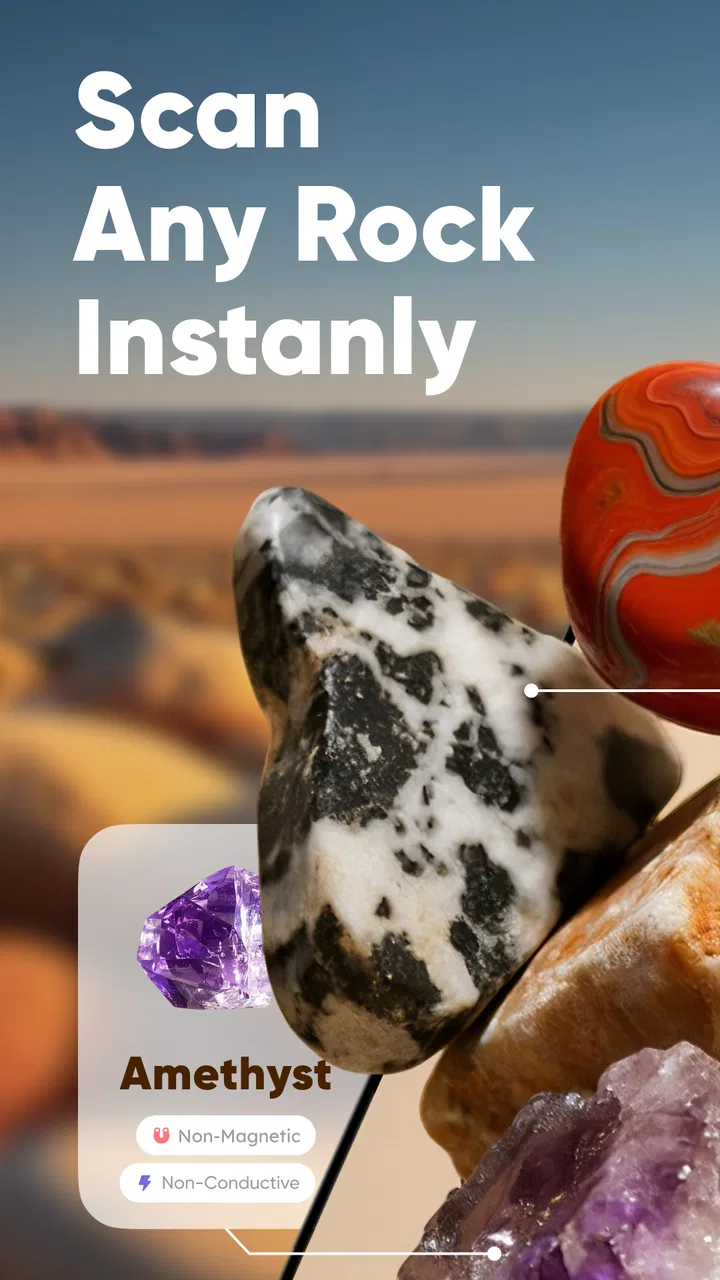
RocKnow: Rock ID & Collection is designed to help users identify rocks and minerals using a smartphone camera. After taking or uploading a photo, the app provides an estimated identification along with information about the specimen. It can also be used to organize discoveries, build a personal collection, and learn more about geology while exploring outdoors or studying samples at home.
02How accurate is RocKnow when identifying rocks and minerals?
The app can be useful for recognizing common rocks and minerals, but its results should be treated as suggestions rather than professional conclusions. Image quality, lighting, camera angle, surface condition, and similarities between different specimens can affect accuracy. For valuable, rare, or scientifically important samples, users should confirm the result with a geologist, field guide, or laboratory test.
03Does RocKnow require an internet connection to work?
RocKnow may require an internet connection for image analysis, database access, account synchronization, or loading detailed information about identified specimens. Some previously saved collection entries might remain available offline, depending on the app version and device settings. Before heading into a remote area, it is sensible to check which features work without connectivity and save important information in advance.
04Can I use RocKnow to catalog my personal rock collection?
Yes, one of the app’s useful features is the ability to keep track of discovered or owned specimens. Users can typically save identification results, photographs, notes, and collection details in one place. This makes the app practical for hobbyists, students, and amateur geologists who want to remember where a sample was found or compare specimens over time.
05Is RocKnow suitable for children, students, and geology beginners?
RocKnow can be a friendly introduction to rocks and minerals because it combines photo-based identification with accessible reference information. It may encourage children and beginners to observe textures, colors, and crystal patterns more carefully. However, younger users should be supervised outdoors, especially when collecting samples, and nobody should handle unknown minerals or enter unsafe locations without appropriate guidance.
Pros
- Identifies many rock types from a single photo.
- Collection tools help organize and revisit identified specimens.
- Useful reference for beginners learning basic geology.
- Simple interface makes quick field identification convenient.
- Can encourage outdoor exploration and rock collecting.
Cons
- Photo results may be inaccurate for similar-looking minerals.
- Requires good lighting and a clear
- close-up image.
- Some advanced information may require an in-app purchase.
- Limited value without an internet connection in the field.
- Identification should not replace expert advice for valuable specimens.

RocKnow: Rock ID & Collection
Gallery